Design Sound Forge Pro editing environments to maximize your productivity. Create and save multiple interface layout configurations for single- and dual-monitor systems. Easily recall a window layout for specific editing tasks including audio editing, CD layout, multichannel file editing, and more.
Xilisoft Burn Pro can burn audios/videos, OS, ISO image files and any other documents to data CD/DVD of various formats including CD-R, CD-RW, DVD-R, DVD+R, DVD-RW, DVD+RW and DVD+R DL for backup. Editing image file and burning it to data CD/DVD can also be accomplished in a breeze. Moreover, this ideal data CD/DVD burner even allows you to make CD/DVD disc into ISO image or copy data CD and unprotected DVD from one disc to another directly.
Burn your discs quickly and easily with AVS Disc Creator. Copy personal home audio in the original quality. Write your data onto Blu-ray (BD-R, BD-RE) discs. Create boot CD/DVD discs. Create an image of your personal video and save it on PC. Or make an ISO image directly from a disc or HDD. All major media are supported: DVD+/-R, DVD+/-RW, DVD-RAM, Double/Dual Layer DVD, etc.
Free Audio Editor is an easy to use audio recorder and editor. Allow cut, adjust speed, change voice, audio mix and join audio files on your recordings or other audio files. Supports various output formats with high quality, can playback on any music player or portable devices. This software is also an audio toolbox which contains many other useful tools, such as ID3 tag editor, CD Ripper, CD Burner and so on.
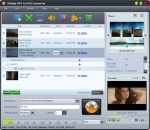
ImTOO AVI to DVD Converter is a fast AVI to DVD burning software tool which helps you convert AVI, MPEG, DAT, M2V, VOB to DVD that is playable on home DVD player, and burn these videos to DVD disc, DVD folder or ISO file. It also provides you with many DVD authoring features to create a distinctive DVD menu, clip video file freely, adjust video effect, add subtitles and audio tracks, etc.
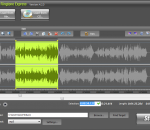
This free mp3 cutter and editor is an extremely simple and handy tool for routine mp3 editing tasks. The program displays a waveform graph that lets you easily select a portion of the mp3 for editing. You can cut out unwanted part of the audio, change volume by specifying a percentage value, create a fade in or fade out, and convert the audio between stereo and mono.
Cut, join, trim, mix, delete parts, split with AVS Audio Editor. Manage your tracks in MP3, FLAC, WAV, M4A, WMA, AAC, MP2, AMR, OGG, etc. Record audio data from various inputs like microphone, vinyl records, and other input lines. Create a unique ringtone for iPhone. AVS Audio Editor is a part of the AVS4YOU.com package. Register once at avs4you.com and work with all tools from the AVS4YOU.com package. Subscribe for $39/year or $59/lifetime.
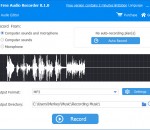
Free Audio Recorder is a handy tool to record sound from both computer and microphone. Supports various audio sources, streaming music, in-game sound, Skype, voice chat, etc. Easy to use with simple "Record", "Pause" and "Stop" buttons, and high quality output result which can playback on any music player or portable devices. This software also contains powerful auto recording feature and other useful settings to help you make recording schedule.
Stamp ID3 tag editor allows you to edit or add file information to mp3 files such as genre, title, artist, album, year, track number.Just add the files you want to edit to the list, enter the new information, and then click the stamp button.
ImTOO PSP Music Suite is a multiple used converting tool for almost all popular audio and video formats to PSP music. It contains: ImTOO CD Ripper can convert audio CDs to PSP MP3 files. ImTOO PSP Video Converter converts various video and audio files to PSP supported files easily and fast. And the PSP Video Manager has been added into the software that helps you transfer files directly to your PSP player.
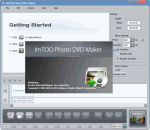
If you are looking for the quickest and the easiest way to convert your entire photo collection into DVD movies then look no further than ImTOO Photo DVD Maker. Using this nifty photo to DVD converter, creating a DVD movie from your photos is simple and straightforward: drag and drop your photos to application, insert a blank DVD disc, then click “Burnâ€! You can also create ISO files and DVD folders for your photo library.