free tool to quickly Block WhatsApp on your Windows computer from all web browsers & WhatsApp application.
My Lockbox is a security software enabling you to protect folders on your computer. The protected folder is hidden and locked from any user and application of your system and also from the net. To access the protected folder you have to provide a valid password. The program comes with a set of fine skins. Download free edition of My Lockbox now and protect your folder.
The World's fastest VPN for Privacy & Security. VPN for Online security & privacy for Windows, Mac, iOS Android & routers, 60+ countries 390+ fastest VPN servers
WinLock is a comprehensive security solution for personal or publicly accessible computers. It is a program that ensures that only authorized people can access sensitive information on your computer. With WinLock, you can control how long others can use your computer, disable Windows hot keys (such as Alt-Ctrl-Del, Alt-Tab, Ctrl-Esc, etc.), lock Windows desktop, hide the Start button, lock files and folders, filter Internet content and much more.
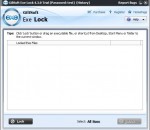
ECS Safe Lock is a handy utility that you can use to create a protected environment and put inside it all the files and folders you want to have secured. The privacy of your documents is ensured at all times, as soon as you press 'Lock' in the vault's main area. You will have to remember and keep well the password after changing the default one because there is no other way of accessing the items inside the safe.
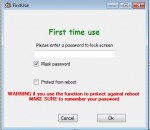
Desktop Secret Lock adds an additional level of security to your computer or remote desktop server. You will be notified if someone has clicked on your desktop on your desktop or pressed any key in your absence. Desktop Secret Lock protects your Windows RemoteDesktop/TeamViewer/Anydesk server against hackers. Features: 1) Transparent Desktop Lock. 2) Secure Lock. 3) Auto Lock. 4) Safety Unlock using USB flash stick. 5) Log Journal.
WinGuard locks your Desktop programs and Store apps using password protection. It does this by scanning for programs you add to its blacklist. If a match is found, WinGuard stops the application and displays a password prompt. Lock any app with password; Lock Software Installations; Lock MS Internet Explorer; Lock Windows File Explorer; Lock Program Installers; Hide Drive C or All your Drives; Lock All Administrator Tools; No cost to you.
WinGuard Pro 2016 can Password Protect Programs and encrypt files on your computer. Users can add Password Protection to any Windows Program (ie Store Apps, Desktop Apps, Exe's). Lock Installers, Internet and File Explorer - that's right; if you need some extra security, WinGuard Pro 2016 can Block Software Installations, Internet, File Explorer, Harddrive Access and a whole lot more, all for free.
Free Tool to quickly Block or Unblock Twitter on Windows
Free Tool to Block or Unblock any Windows Application
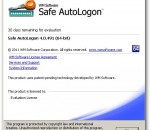
Centrally manage Safe AutoLogon clients and users. Do everything from install/uninstall, reboot, change settings, and set passwords. Redundancy is built-in for enterprise environments. Shows managed users' password age so you can keep them changed to comply with HIPAA and your company's internal password policies. Safe AutoLogon Password Server runs on Windows Server 2003, 2008, 2008 R2, and 2012.